iPhone 17 Pro Camera System Explained
Explore iPhone 17 Pro official camera specifications, lenses, photo modes and recording features.
iPhone 17 Pro Camera System Explained
UPDATED NOVEMBER 1, 2026 · US ENGLISH · RESEARCH-BASED GUIDE
The iPhone 17 Pro camera system centers on three 48MP Fusion rear modules: Main, Ultra Wide and Telephoto. Apple's specifications list a 4x physical telephoto perspective and an 8x optical-quality option, alongside professional photo and video formats. These are specification claims, not a claim that this article involved hands-on image tests. The same general camera family is used by the 17 Pro Max.
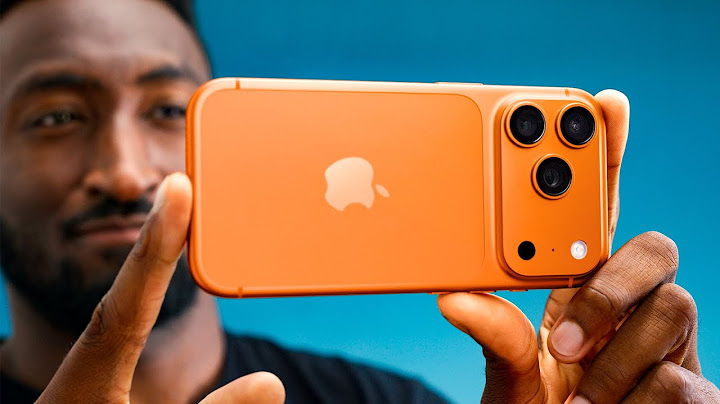
At a glance
| Rear camera | Technical specification |
| Fusion Main | 48MP; 24 mm; f/1.78; sensor-shift stabilization |
| Fusion Ultra Wide | 48MP; 13 mm; f/2.2; 120° field of view |
| Fusion Telephoto | 48MP; 100 mm equivalent, 4x; f/2.8 |
| 8x option | 12MP optical-quality 200 mm equivalent |
| Digital zoom | Up to 40x; quality depends on conditions |
| Video | 4K Dolby Vision; ProRes workflows including external recording |
| Front camera | 18MP Center Stage |
How three 48MP modules differ
The Main camera is the general-purpose wide-angle lens, with second-generation sensor-shift stabilization. The Ultra Wide covers landscapes, architecture and close-up macro framing. The dedicated Telephoto uses a tetraprism design to achieve a longer perspective. These focal lengths are not interchangeable: a high megapixel count does not make a wide lens act exactly like a long optical lens.
Understand the 4x and 8x wording
Apple describes a native 4x telephoto module and a 12MP optical-quality 8x option. The second uses imaging techniques rather than a fourth separate telephoto lens. This distinction matters when evaluating claims about “eight times optical zoom.” Beyond the optical-quality range, digital enlargement may be useful for framing but usually trades away detail, especially in weak light.
Pro video and the storage reality
The 17 Pro supports advanced options including ProRes recording, Log workflows and certain high-frame-rate modes. Some maximum recording configurations require external storage or compatible gear. Professional formats can create much larger files than casual HEVC video, so users should plan media capacity, transfer speed and edit-system compatibility before committing to them. A recording format does not itself guarantee cinematic results.
Practical setup before shooting
Clean the lens glass, choose the focal length suited to the scene, and hold framing steady. For indoor motion, pay attention to available light and subject distance rather than defaulting to maximum zoom. If you will use external SSDs or accessories, check Apple compatibility requirements for the exact capture mode. For a whole-device purchase decision, consult the iPhone 17 Pro specifications or its base-model comparison.
Frequently asked questions
Are all three rear cameras 48MP? Apple lists the Main, Ultra Wide and Telephoto as 48MP modules on 17 Pro.
Does the phone have a separate physical 8x lens? No. Apple describes a 4x telephoto module plus an 8x optical-quality 12MP option.
Is ProRes the same as normal 4K video? No. ProRes is a professional recording format with different workflow and storage demands.
Explore related iPhone guides
Which iPhone Should You Get in 2026? · iPhone 17 Pro: Specifications and Key Features · iPhone 17 vs 17 Pro: Which Fits Your Needs?