Tesla Stock on Robinhood: Buying Shares and Understanding Orders
Learn how to find Tesla stock on Robinhood, compare order types and verify that you are buying TSLA shares rather than a leveraged ETF.
Finding Tesla on a brokerage platform is straightforward; understanding what you are ordering deserves more care. Robinhood users searching for TSLA may also encounter Tesla-linked leveraged ETFs whose prices and risks are quite different. This educational guide focuses on verifying the security, evaluating order mechanics, and checking the confirmation. App screens, account features, and brokerage eligibility can change, so verify them in the current platform rather than relying on an old screenshot.
Confirm the ticker TSLA before placing a brokerage order
Search the security by its full name and Nasdaq ticker TSLA. Verify the instrument type says common stock or equity rather than exchange-traded fund, option, or derivative. A similar symbol is not a harmless spelling variation: TSLL targets daily 2x Tesla exposure, while TSLS is an inverse fund. Check the listing details and review any corporate-action notices that may affect displayed historical prices. If the name or ticker does not match Tesla, Inc. common shares, do not proceed on the assumption the app intended the same asset.
Check account eligibility and buying power at Robinhood
Before placing an order, confirm the brokerage account is active, the appropriate funds have cleared, and buying power covers the intended purchase plus any applicable charges. Margin eligibility, cash settlement, trading permissions, and regional availability depend on account type and policy. A displayed 'buying power' figure may differ from withdrawable cash. If the app rejects an order, use its explanation rather than retrying with a larger quantity. Never assume a tutorial can tell you whether your personal account is approved for a feature.
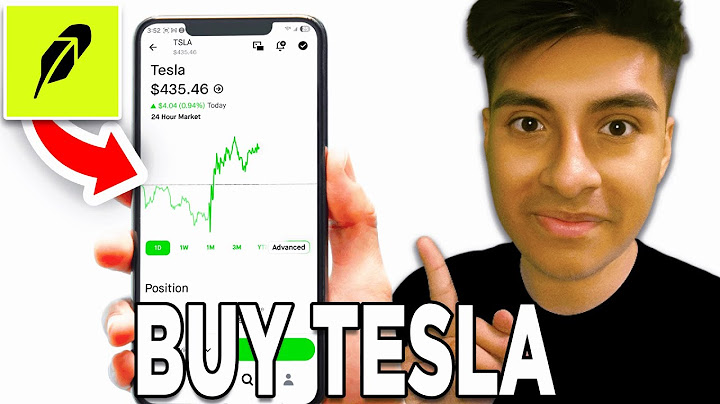
Market orders versus limit orders for Tesla shares
A market order generally seeks execution at available prices, which may differ from the displayed last trade. A limit order specifies the worst acceptable price but can remain unfilled. For volatile TSLA sessions, the spread and size at each quote level matter. Outside regular hours, execution conditions may be thinner, and broker rules can restrict available order types. Check quantity, estimated notional value, session, duration, and displayed warnings before submitting. Choosing an order type is a risk decision, not simply a question of which button is fastest.
Fractional shares and order restrictions to verify in-app
A fractional-share feature, when supported for a particular security and account, allows an order by dollar amount rather than whole shares. The platform may impose minimums, session restrictions, or different handling for fractional orders. Verify current in-app terms and any tax or corporate-action treatment before relying on them. A small dollar order still has exposure to stock-price swings. Fractional ownership should not be confused with a leveraged product: half a share's value is not equivalent to purchasing a 2x daily Tesla ETF.
How to review costs, execution price and trade confirmation
After an order executes, open the trade confirmation and compare actual fill price, executed quantity, timestamp, and charges with the original order details. Partial fills can create more than one execution record. Keep an account statement for taxes and cost-basis tracking. If the order did not fill, check whether it expired, was canceled, or remains open; an open order may affect available buying power. Educational screenshots cannot replace the legally relevant trade confirmation and disclosures supplied by the broker.
Avoid confusing TSLA with TSLL, TSLS and other Tesla ETFs
TSLA, TSLL, TSLS, TSLT, TSLR, TSLG, and TSL are separate tickers. Only TSLA in this list represents Tesla common stock. The others are funds built to pursue daily leveraged or inverse exposure, with issuer-specific costs and potential divergence over time. Before any order, read the complete product name and its objective. This page intentionally avoids explaining each leveraged ETF's prospectus, which belongs in the Tesla Leveraged ETFs guide. Brokerage convenience does not make different securities economically interchangeable.
Practical verification checklist
Verify the full security name and ticker.
Review account buying power and order permissions.
Check order type, session, quantity, and expiration.
Save and reconcile the executed-trade confirmation.
Frequently asked questions
Can I purchase TSLA directly from Tesla?
Tesla says it does not currently offer a direct stock purchase plan; shares are available through brokers.
Does a Robinhood market order guarantee the shown TSLA price?
No. The final execution may differ from the last displayed trade.
Are fractional TSLA shares always available?
Availability and conditions are set by the broker and can change; confirm in the current account interface.
Is TSLL the same as TSLA on Robinhood?
No. TSLL is a daily leveraged ETF; TSLA is Tesla common stock.
Related guides
Tesla Stock (TSLA): How to Read the Quote and Key Drivers
Tesla Dividend Yield: Current Policy and What Investors Should Know
