Controller Thumbsticks: Types, Wear and Replacement Basics
Controller Thumbsticks: Types, Wear and Replacement Basics. Understand key specifications, compatibility, drift risks, and practical buying or maintenance tip.
Controller Thumbsticks: Types, Wear and Replacement Basics
Editorial draft • US English • Updated November 2026
“Thumbstick” may refer to the rubberized cap you touch, the moving shaft beneath it, or the entire joystick assembly. Those meanings matter when shopping for replacement parts: a new cap can improve grip and comfort, but it does not normally fix an electronic stick-drift problem.
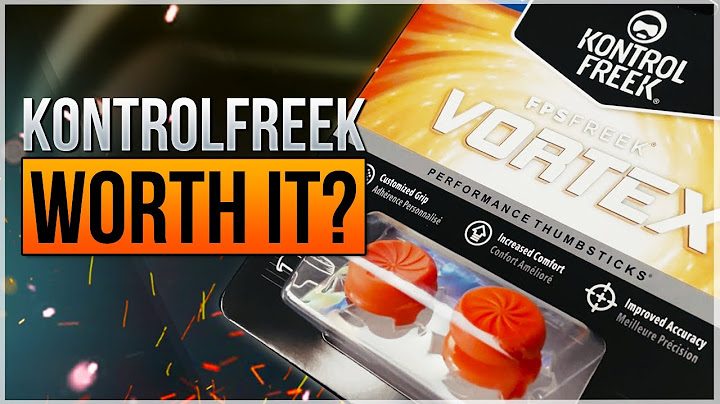
Quick answer: cap versus mechanism
The thumbstick cap is the user-facing surface that sits on the stick shaft. Its shape, height, texture, and material influence grip and leverage. The internal analog stick assembly contains the moving mechanism and position sensors that report movement to the controller.
Listings may use “thumbstick” for either part. Read the included-parts list carefully: “replacement thumbsticks” might mean two snap-on caps rather than two electronic stick modules. Different controllers may require different attachment shapes or installation methods.
Choosing cap height, shape, and texture
A low, concave cap is familiar to many players and may feel stable during rapid inputs. A taller cap changes leverage, which some players prefer for fine aiming, though it does not change the underlying sensor resolution. Convex shapes, textured rims, and rubber compounds offer different comfort and wear characteristics.
Try moderate changes before buying oversized extensions. A tall cap may press against a controller shell or storage case; soft grips can tear or slip. Comfort and control depend on hand size, game type, button reach, and personal preference, so an expensive cap is not inherently better.
How to identify a compatible thumbstick
Start with the controller model—not just the console generation. Confirm whether the product is a replacement shell cap, an over-cap grip, or a complete internal module. Compare shaft shape and height, shell clearance, and whether opening the controller is required.
For modular controllers, check whether the manufacturer offers official interchangeable caps. Some removable designs use proprietary fittings and cannot share caps with visually similar standard controllers. Keep packaging and verify return conditions before modifying the device.
Thumbstick wear versus stick drift
Rubber becoming smooth or cracked is a surface issue that may be solved by replacing the cap. A joystick that reports movement when untouched is a sensing or centering issue; a new grip surface rarely addresses it. A stick that physically fails to return to center may have a damaged gimbal or spring.
Try a simple input test to distinguish these cases. If the neutral position is unstable, look into firmware, calibration, and professional repair rather than assuming a cap swap will correct it. Do not force a loose cap down onto a shaft that may have a different attachment profile.
What to know about Hall Effect and TMR labels
Hall Effect and TMR describe how a stick module senses movement; they do not describe the rubber thumb cap. Marketing may loosely call an entire module a “Hall thumbstick.” Look for diagrams and a part number to identify what is actually being sold.
Both magnetic sensor approaches remove one kind of rubbing electrical contact from the reading mechanism. Other parts can wear, and controller tuning is still important. Choose compatible modules and service providers over broad “zero drift” promises.
Maintenance and replacement checklist
Inspect texture, looseness, and cracks. Clean the exterior gently according to the controller maker’s instructions. Verify the replacement cap type and height. If an extension affects aim, readjust sensitivity and practice rather than claiming it improves precision automatically.
Stop if a replacement requires excessive force. A cap may be inexpensive, while a broken shaft, ribbon cable, or motherboard can make a repair costly. For a stick drift symptom, record test results before and after any service.
Related reading
Hall Effect joysticks explained — /topic/hall-effect-joysticks/
Hall Effect controller buying guide — /topic/hall-effect-controller/
TMR joysticks explained — /topic/tmr-joysticks/
Hall Effect PS5 Controllers: Compatibility and Upgrade Options — /topic/hall-effect-ps5-controller/
Analog Sticks: How They Work, Drift and Replacements — /topic/analog-sticks/
DualSense Edge Stick Modules: Replacement and Compatibility — /topic/dualsense-edge-stick-module/
Frequently asked questions
What is a thumbstick on a controller?
Usually it is the part you move with your thumb, but sellers may mean just the removable cap or the full internal analog-stick mechanism.
Will new thumbstick caps fix drift?
Not usually. Caps improve grip, while drift often relates to sensing, centering, calibration, or component damage.
Are tall thumbsticks better for aiming?
Some players prefer their added leverage; comfort and control depend on preference and game settings, not a universal performance gain.
Can all PS5 thumbstick caps be swapped?
No. Fit and removal methods vary between controllers and variants. Confirm the exact model and attachment design.
Sources and verification
PlayStation: official controller support — https://www.playstation.com/en-us/support/hardware/accessories/