How Long Does Ring Save Videos? Ring Protect Retention
Retention periods and plan settings for Ring video clips. Practical US-English guide with sourced details and clear limitations.
How Long Does Ring Save Videos? Ring Protect Retention
Information checked: November 1, 2026
Ring cloud recordings may be stored for up to 180 days, but the exact retention period depends on an eligible subscription, video type, device settings and region. Ring's US support page says newer defaults can be 30 days for certain 4K devices and 60 days for 1080p or 2K devices, with options to change storage duration. Do not assume every video is automatically kept for six months. Save important clips before they reach their expiration date.
Why two Ring owners may have different retention periods
The storage period can be configured per device. A household with several cameras might therefore have different expiration dates across its video library. Some recording features, including certain continuous-recording modes, can have different retention limits. Trial and subscription status matter: Ring says recordings are created only when qualifying recording services are active. A motion notification on a phone is not proof that a replayable cloud clip will be available months later.
How to review and change the setting
Ring's support instructions direct users to the app's video and snapshot storage controls or their account on the website. Select the individual doorbell or camera, inspect the current duration and choose from the available options. Ring explains that a change applies to newly recorded events, not retroactively to older clips. Check the exact screen names in the latest app, since interfaces can change. For multiple devices, verify each one rather than assuming a global setting has updated them all.
Saving a clip that matters
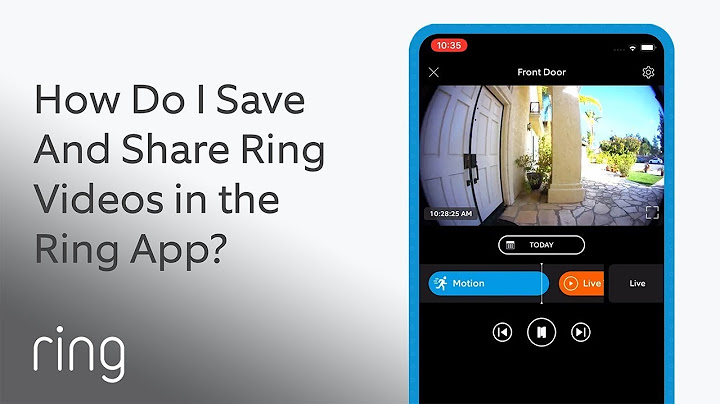
Download permitted footage to a secure location before it expires. Keep the original file, note the date and camera and avoid altering a file that might be relevant to an insurance claim or investigation. Ring says deleting events, losing subscription coverage or passing the retention deadline can permanently remove access. A public share link is not a guaranteed long-term backup, and sharing a clip may have privacy consequences for the people recorded.
Video storage and privacy
Longer retention is not automatically better. Decide how long you reasonably need footage for ordinary household security and review the people with shared access. If you are ending a subscription or transferring device ownership, check whether you must download clips first. Separate snapshot images, event clips and live viewing in your decision because their storage rules differ.
Retention checklist
Confirm active subscription or trial and the exact device.
Check the storage setting for each camera separately.
Download important clips ahead of expiration.
Review privacy, shared links and account changes before deletion.
Frequently asked questions
Does Ring keep videos for 180 days automatically?
Not always. 180 days is an available upper limit for many eligible motion clips; defaults and feature exceptions apply.
Can I recover a clip after expiration?
Ring states expired or permanently deleted videos may be unrecoverable. Save what you need ahead of time.
Does changing retention extend my old videos?
Ring says changed settings apply to future recordings, not existing clips.
Related reading
For a focused follow-up, see Ring Home Security System Explained; Ring Camera Security.