Rockstar Launcher Errors: Authentication, Connections and Code 162
Rockstar Launcher Not Working? Authentication and Error 162 Fixes. Official-source-first guide, what is confirmed, and links to related detailed pages.
Rockstar Launcher Errors: Authentication, Connections and Code 162
FOCUS: an error occurred while authenticating with rockstar | LAST FACT CHECK: November 6, 2026
A Rockstar Games Launcher authentication failure is not automatically a bad password. It can reflect temporary service issues, local network settings, outdated client files or account-specific problems. Begin with the exact error message and safe reversible checks; do not download third-party “error 162 fix” executables.
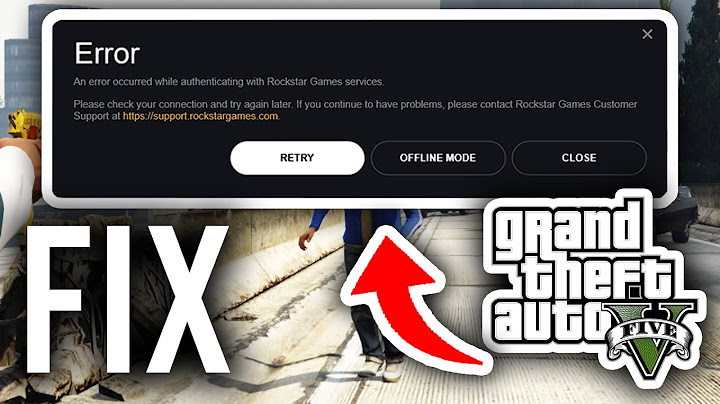
Identify the exact problem before changing settings
Copy the error wording and any number exactly, including whether it occurs before login, after login, or when a particular game starts. “Authentication failed,” a code such as 162, and an online-policy download loop may have different causes. Record the launcher version, operating system and last successful launch. A screenshot is often more useful than a vague statement that Rockstar is down. This article covers broad authentication and launch problems, while the online-policies page owns the specific policies message.
Check the publisher's status and your connection
First check Rockstar's official service-status or support channels. A platform outage cannot be fixed by deleting local game files. Next verify whether other secure websites and store services work. Restart the launcher and, if appropriate, your router; test without an unstable VPN or proxy. Do not disable a firewall permanently. If a security product blocks the launcher, use its documented allowlist workflow rather than switching off all protection.
Account authentication and local client data
Confirm the login works on the legitimate Rockstar website. If it does not, use official account recovery rather than repeatedly retrying inside the launcher. If website sign-in succeeds but the app fails, follow the current launcher troubleshooting article. Rockstar also documents deleting a local launcher profile in certain game-not-launching cases, with the warning that automatic sign-in settings will be reset. Check cloud-save settings and backup precautions before changing local profiles or game data.
What to do with error codes such as 162
Error numbers are useful labels, not enough evidence for a universal cure. Look up the exact code in the current official Rockstar Support database. Avoid forum advice that treats an unrelated Windows message as the same failure. If a solution refers to a version or path that no longer exists, do not force it. Make one change, test, and reverse it if it had no effect. Technical support can work faster if you include the original code and your short change log.
When reinstalling helps—and when it does not
A clean reinstall can repair a damaged client, but it cannot correct an account lock or remote server outage. Follow official uninstall/reinstall instructions and protect game saves, purchase records and needed sign-in information first. Avoid deleting arbitrary registry keys, modifying hosts files or installing unknown DLLs. If the error persists after verified steps, send a support case with time, code, platform and sanitized logs instead of repeatedly trying increasingly risky fixes.
How to isolate a reproducible client failure
Try a small test sequence: restart the application; check Rockstar status; confirm website login; inspect Windows time and basic connectivity; then follow official launcher guidance for the recorded message. After every step, launch the same title and record whether the behavior changed. Do not combine five speculative fixes at once, because you will not know which one mattered and may create new problems. If changing a firewall rule is recommended by the official instructions, record the setting so you can revert it safely. Store sanitized logs privately for a real support request.
Frequently asked questions
Does error 162 always have one cause?
No. Verify the exact error and follow the current official advice.
Should I disable antivirus to fix the launcher?
Do not permanently disable security tools; use documented allowlisting guidance where appropriate.
Can a service outage cause sign-in failure?
Yes. Check publisher status before changing local settings.
What if website login works but the client fails?
Use official client troubleshooting and record the exact version and message.
Related guides
• Rockstar Games Launcher: Download, Install and Sign In
• Fixing “Downloading Rockstar Games Online Policies” Problems
Sources and further reading
• https://support.rockstargames.com/launcher
Editorial disclosure: Independent informational article; not affiliated with Rockstar Games or Take-Two Interactive. Live prices, dates, platform support and product terms may change. Check the linked publisher or storefront sources before relying on these details.
