Fixing “Downloading Rockstar Games Online Policies” Problems
Rockstar Launcher Stuck Downloading Online Policies: What to Check. Official-source-first guide, what is confirmed, and links to related detailed pages.
Fixing “Downloading Rockstar Games Online Policies” Problems
FOCUS: downloading the rockstar games online policies | LAST FACT CHECK: November 6, 2026
When the Rockstar Games Launcher stays at “downloading the Rockstar Games online policies,” the application appears unable to complete a policy or service request. The message does not mean a player should download a separate policies file from a random website. Investigate status and connectivity first; this page focuses only on that distinctive message.
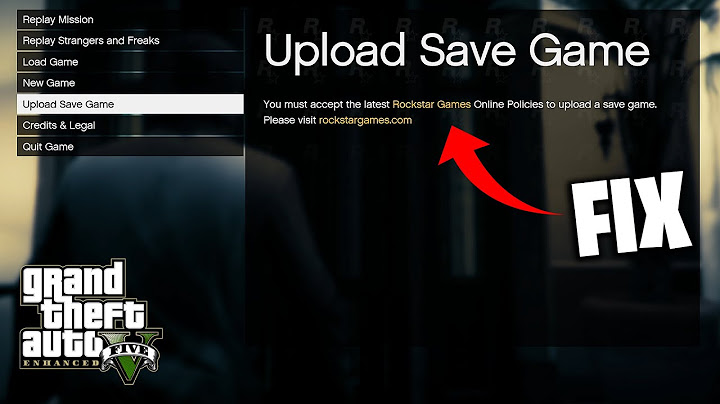
What the policies message likely indicates
Launchers may retrieve configuration or policy information as part of starting a session. A prolonged or repeating download message can be consistent with a connectivity, service or local-client issue, but the words alone do not prove which component failed. Write down when it appears: immediately at launch, after entering credentials, or only on one network. Also note whether other Rockstar websites load. Keeping the symptom precise is more useful than classifying every startup error as the same problem.
Check service status before reinstalling
Look at Rockstar's official service updates and support articles. If a publisher-side incident is affecting the launcher, repeated local reinstalls are unlikely to help. Try closing and restarting the client once after service recovery. Avoid repeatedly changing passwords or account links during a temporary connectivity problem. If you are using a VPN, corporate proxy, filtered DNS service or captive Wi-Fi network, these may interfere with normal service access; test an appropriate alternative connection where permitted.
Safe network and launcher checks
Restart the launcher and your network equipment if reasonable. Verify that the computer's date, time and TLS-capable browser work normally. Keep Windows, security software and the official launcher current. Review firewall alerts instead of disabling protection entirely. Rockstar's connectivity guidance may include ports or DNS checks, but follow the current instructions for your platform rather than copying random port lists from old forum posts.
Retry without turning to unofficial files
There is no reason to run a standalone “online policies installer” or paste an unknown configuration token. Do not substitute files from file-sharing sites or replace legitimate service endpoints in the hosts file. If a verified Rockstar help article recommends clearing a specific safe cache, follow the current instructions and preserve account information. If the problem only appears with a particular game, report the title and purchase method too.
Escalation and what evidence to include
When the same message persists, capture its exact wording and the time in your time zone. Provide the launcher version, operating system, connectivity type, whether the website sign-in works, and the steps already attempted. Support may request sanitized logs through its own workflow. This is a narrow page: generic launcher errors belong to the main troubleshooting article, and the wording of Rockstar's actual online terms belongs on the publisher's legal pages.
How to tell this loop from a generic launcher error
The relevant distinguishing detail is the literal online-policies wording, not whether GTA V happens to be the game that you wanted to play. If a launcher crashes before displaying that text, the generic startup guide is more appropriate. If the message appears only on a work or school network, a network restriction may be worth investigating with the network administrator. If it appears on multiple normal connections, record the timing and check publisher status. Avoid altering legal policy URLs to force a different response; that is not a trustworthy diagnostic or a substitute for resolving the underlying service request.
Frequently asked questions
Is the online policies file something I should download manually?
No. Do not use unofficial replacement files.
Could a network problem cause the message?
Yes, among other possibilities; the message alone does not prove the root cause.
Should I reset my Rockstar password?
Not solely because this message appears; verify account access separately.
What do I tell support?
Include the exact message, when it occurs, launcher version and safe diagnostics.
Related guides
• Rockstar Games Launcher: Download, Install and Sign In
• Rockstar Launcher Errors: Authentication, Connections and Code 162
Sources and further reading
• https://support.rockstargames.com/launcher
• https://support.rockstargames.com/
Editorial disclosure: Independent informational article; not affiliated with Rockstar Games or Take-Two Interactive. Live prices, dates, platform support and product terms may change. Check the linked publisher or storefront sources before relying on these details.
