Setting Clocks Back in Fall: A Practical Guide
Learn how the fall clock change works, when 2 a.m. repeats, which devices need attention, and whether you gain an hour.
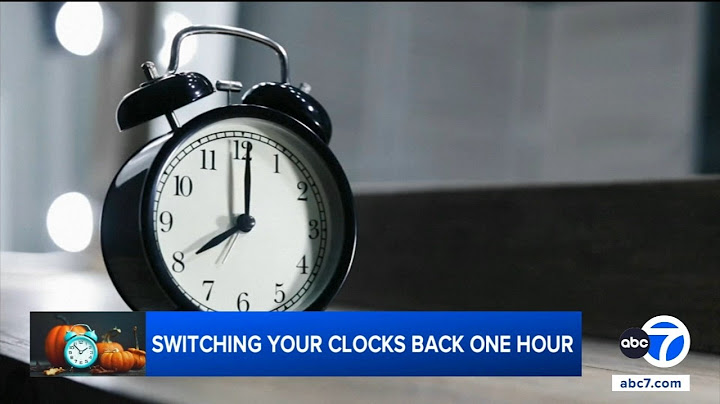
When the clocks shift in the fall, many people wonder what exactly happens and how to prepare. This guide explains the direction of the time change, the significance of the repeated hour, and practical steps to adjust devices and schedules. By understanding the mechanics and potential impacts on sleep and appointments, you can navigate the transition smoothly and make the most of the extra hour.
Which direction clocks move when we fall back
During the fall transition, clocks are set one hour earlier, moving from 2 a.m. back to 1 a.m. This reversal is intentional to extend evening daylight in the cooler months. The change is coordinated across all U.S. time zones, except for states that opt out of daylight saving time. The adjustment is applied uniformly at the designated time, ensuring that local time remains consistent for transportation, broadcasting, and business operations. The practice has been in place since the 1966 Uniform Time Act, which standardized the start and end dates for daylight saving across the country. While the act allows for state exceptions, the majority of the population experiences the same backward shift each year.
What the repeated 1 a.m. hour means
The hour that repeats—between 1 a.m. and 2 a.m.—is a unique period where the same local time occurs twice. For most people, this means an extra hour of sleep if they fall asleep early, or an additional hour of wakefulness if they stay up. The repetition can affect scheduled events, such as flights, train departures, and television broadcasts, which are typically rescheduled to account for the shift. Digital devices often adjust automatically, but manual checks are advisable for critical systems like medical equipment or industrial controls. The repeated hour also has implications for timekeeping standards; Coordinated Universal Time (UTC) does not change, so the local offset is simply reduced by one hour. Understanding this repeat helps avoid missed appointments and ensures that time-sensitive tasks remain on schedule.
How to adjust analog and manually set digital clocks
When the clock change arrives, the most common way to set analog clocks back is to turn the hands clockwise by one hour. If the clock has a separate hour and minute hand, simply move the hour hand to the previous hour while leaving the minute hand where it is. For digital clocks that require manual adjustment, locate the ‘Set’ or ‘Adjust’ button—often found on the back or side of the device. Press the button until the display flashes or a menu appears, then use the up or down arrows to decrement the hour by one. After confirming the change, the clock will display the new time. If the device has a battery backup, make sure the battery is functioning so the time does not drift during the transition. For wall clocks with a battery or a small button, follow the manufacturer’s instructions, which typically involve pressing a small reset button while turning the dial back one hour. In all cases, double‑check the time after the adjustment to ensure accuracy.
Which phones and computers usually update automatically
Most modern smartphones, tablets, and laptops are set to receive automatic time updates from network servers. On iOS devices, the setting is found under Settings → General → Date & Time, where the “Set Automatically” toggle should be enabled. Android users can find a similar option in Settings → System → Date & Time, ensuring the “Automatic date & time” switch is on. Windows PCs automatically sync with Microsoft’s time servers when the “Set time automatically” option is checked in Settings → Time & Language → Date & Time. macOS users should enable “Set date and time automatically” in System Preferences → Date & Time. When these settings are active, the device will adjust for daylight‑saving changes without user intervention. If a device is offline or the automatic setting is disabled, the user must manually set the time as described in the previous section.
How extra-hour sleep and scheduled events can be affected
The fall‑back transition repeats the hour from 1 a.m. to 2 a.m., giving everyone an extra 60 minutes of sleep. For most people this means a longer night, but the timing can disrupt routines that rely on precise clocks. For example, a 7 a.m. alarm set for a 30‑minute commute will now ring at 7 a.m. local time, but the clock will read 7 a.m. after the shift, effectively moving the commute forward by an hour in real time. Similarly, scheduled appointments that use 24‑hour time, such as medical appointments or flights, may be recorded as occurring an hour earlier than the traveler experiences. This can lead to missed appointments if the patient or traveler does not account for the repeated hour. To avoid confusion, double‑check any time‑sensitive commitments and consider adding a reminder that the clock will change at 2 a.m. local time.
Quick checklist for the evening before the switch
1. **Set your alarm clock** – If it’s a digital alarm, change the time to 2 a.m. instead of 1 a.m. to avoid waking during the repeated hour. 2. **Adjust smart home devices** – Many voice assistants and smart thermostats automatically update for DST, but verify that your calendar and reminder apps reflect the new time. 3. **Check your phone’s time‑zone settings** – Ensure the device is set to automatically update time‑zone changes; otherwise, manually set it to the correct local time. 4. **Inform household members** – Remind anyone sharing the space that the clock will go back an hour, so they can adjust their schedules accordingly. 5. **Plan your sleep schedule** – If you’re sensitive to sleep changes, consider going to bed 30 minutes earlier on the night of the switch to accommodate the extra hour. 6. **Verify transportation schedules** – Look up the next day’s train, bus, or flight times; some services may still list times in the original time zone, so double‑check the departure time after the shift. 7. **Set a reminder for the next day** – Place a note on the fridge or set a phone reminder that the time has changed to avoid confusion when you wake up.
