How to Find Stock Footage You Can Use in Video Edits
Find stock video for creative projects, review license and attribution rules, and organize permissions before adding clips to an AI edit.
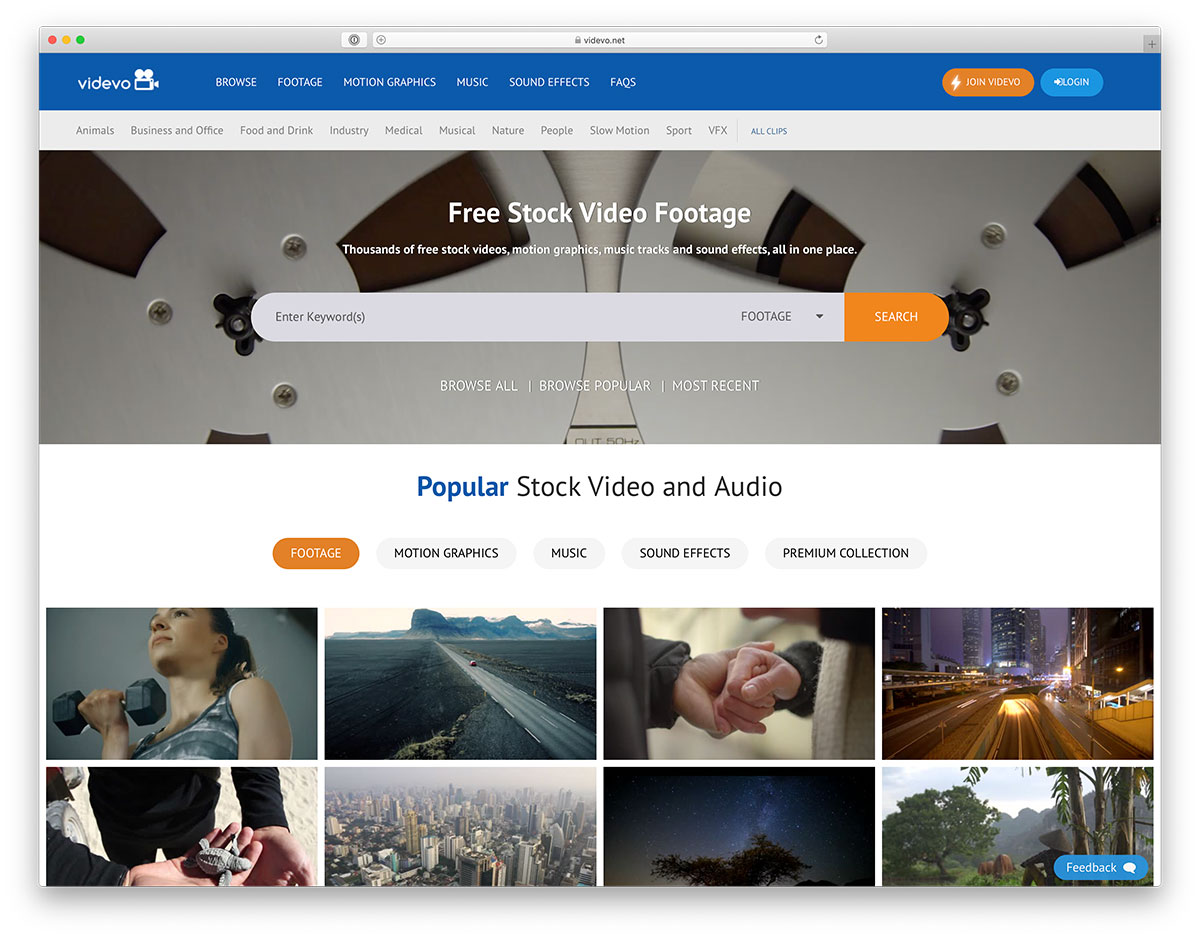
How to Find Stock Footage You Can Use in Video Edits
Stock video footage can fill a visual gap without requiring an AI generator to invent every scene. It is useful for transitions, established locations and actions that are better recorded than synthesized. But 'free stock' and 'copyright-free' are not interchangeable terms. The practical skill is finding relevant footage, checking its permission terms and fitting it into your edit without misleading the viewer.
Decide whether to use generated video or existing footage
Begin with the question the scene needs to answer. If the script calls for hands packaging a real order, authorized real footage may be more credible than an AI-generated imitation. If you need a whimsical fictional landscape, generated footage may be appropriate. Choose stock when accuracy, recognizable physical action or time savings matters; choose AI generation when a fictional look is essential and you can tolerate visual artifacts. Mixing the two is fine if the boundary does not misrepresent reality. Label your shot plan 'recorded,' 'stock' or 'generated' so reviewers can spot claims that need proof.
Pick keywords that match a scene and camera angle
Search for visual behavior, not only the topic: 'hands sorting parcels overhead shot' is more precise than 'business video.' Add camera angle, time of day, setting and desired negative space for captions. Preview the clip at full motion; thumbnails cannot reveal sudden camera shakes, background brands or a person entering the frame. Download a sample or preview when permitted and test whether its frame rate, cropping and lighting will match adjacent scenes. Keep multiple candidates but avoid collecting dozens of nearly identical clips. Record where each candidate came from before the project grows too large.
Understand free, paid and editorial-use licenses
A license may permit personal use but limit commercial advertising, redistribution or use in templates. Editorial-only footage generally is not a safe default for an advertisement. A free download can still require attribution or contain restrictions concerning recognizable people, trademarks or sensitive contexts. Read the terms on the exact asset and check for a model or property release when needed. Do not assume that an asset in a searchable library has no copyright. Save a dated copy of the applicable license text and the asset ID in a private record; provider rules and individual rights can change.
Check attribution, brands, people and music rights
Attribution is only one question. Ask whether the use is advertising, news commentary or a personal project; whether a person's appearance suggests an endorsement; whether a brand logo is visible; and whether music is embedded in the clip. Separate the audio track if your video uses licensed music from another source, but first verify whether the license permits that editing. Cropping out a watermark does not grant permission. If the rights situation is unclear, choose another clip or capture your own footage. A generated replacement is not automatically safer if it imitates a real person's likeness or protected brand design.
Keep a simple asset license register
Maintain a small spreadsheet or text register with asset filename, provider, asset ID, licensed user, permitted use, attribution requirement, expiration if any and the date checked. Add a column recording whether any people or branded property appear. Attach the approved copy to the project folder, not to the public article. A register makes later edits less risky because editors can trace a clip without hunting through emails or browser history. If a license has a material uncertainty, label that clip 'hold' and do not include it in the exported production.
Blend stock footage with AI-generated scenes
Blend footage by matching perceived direction and brightness. A sunlit AI-generated café scene cut directly into dark stock footage of an office can feel like a mistake. Keep camera movement similar across the cut, or use a brief establishing shot to make the change intentional. Match aspect ratios by reframing carefully rather than stretching images. Add captions in the editor rather than relying on generated visual text. If the stock clip shows a real place but the narration refers to an invented location, remove or clarify that association to avoid implying false documentation.
Mistakes that can block publishing or monetization
Common publishing problems include using an editorial-only clip in an ad, reproducing a visible product logo without review, adding music with separate rights, and failing to keep license records. Another is presenting illustrative footage as a recording of a specific event. Use honest captions such as 'illustrative footage' where context requires them. Before monetization, review the actual platform rules as well as the asset license. Stock footage is a production material, not a guarantee that the finished video is automatically safe for every audience, territory or business purpose.
A practical example to adapt
Asset register sample: `market_walk_01.mp4 | Provider/asset ID: verified privately | Use: social editorial explainer | Attribution: review terms | People/releases: review | Date checked: 2026-10-30 | Edit: crop to 9:16`. Keep this record private; place only licensed, approved footage in the published video.
Frequently asked questions
Is free stock footage always free for commercial use?
No. Inspect the individual license, use restrictions and model or property permissions.
Can I use stock footage alongside AI clips?
Yes, provided the combination is accurate, visually coherent and licensed for the intended use.
Do I need to keep a license record?
A dated record makes later revisions, client review and permission checks much easier.
Related guides
product video production brief template
free video editing software comparison checklist